

Couldn't find your phone? Have a question? Contact us
How to backup contacts from Orange Clif
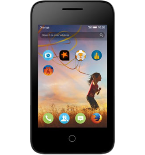
We used PhoneCopy.com service for this guideline. Using it, your can backup your contacts from your Orange Clif easily. The whole backup, including the settings, can be done in several minutes.
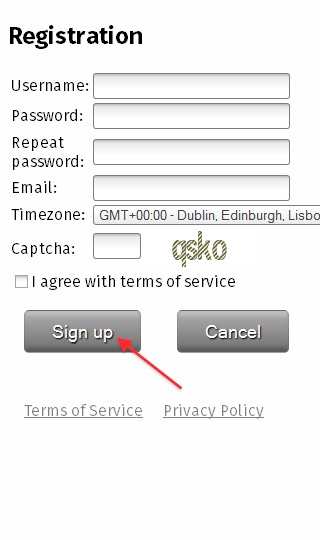
Download the PhoneCopy application from Firefox Marketplace. If you do not have a PhoneCopy account yet, press "Register new account" and create it by filling in "Registration" and then press "Sign up".
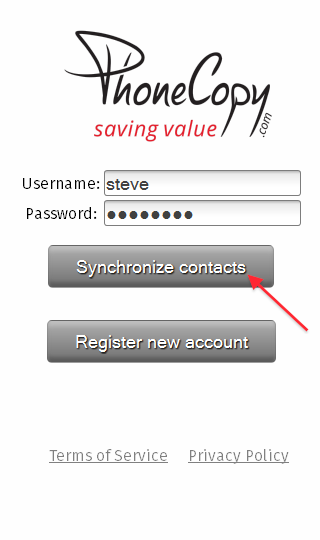
If you already have a PhoneCopy account, fill in your username and password. To export your contacts, press "Synchronize". Select synchronization direction.
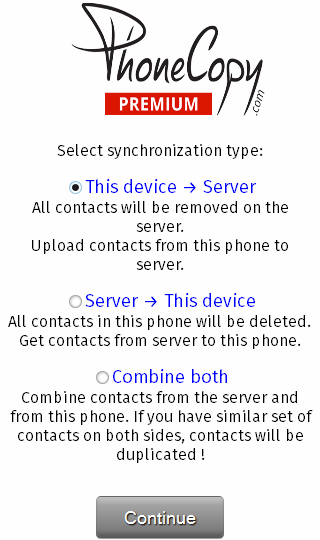
That is all there is to it. Your contacts are now backed up on PhoneCopy and you can access them from any browser whenever you need them.
Some additional tips:
It is a good idea to run a sync before any major change, such as a factory reset or an OS update. That way, your contacts are always protected before anything unexpected happens.