

How to backup contacts from Garmin ASUS nuvifone M10
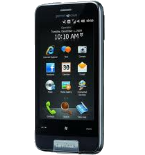
PhoneCopy.com supports hundreds of phone models, including Garmin ASUS nuvifone M10. This guide will show you how to use it to create a safe backup of your contacts in just a few minutes.
Phonecopy client registration is simple. Choose your username and insert your email address, where we will send you a confirmation email that you will need to activate your account.
Windows Mobile setup
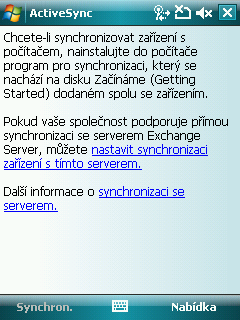
This guide works for Windows Mobile 5.0, Windows Mobile 6, Windows Mobile 6.1 or Windows Mobile 6.5. ActiveSync can be found on your phone by selecting Start - Programs - ActiveSync. Next, select Menu - Add source server.
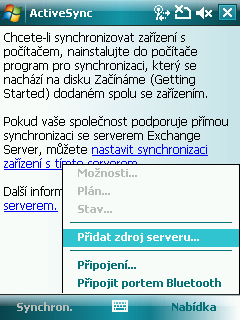
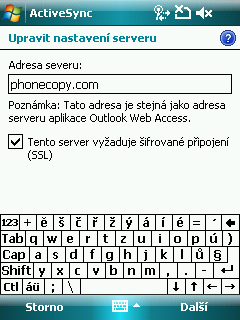
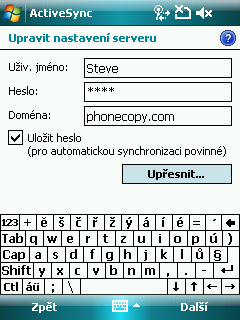
Fill in your user credentials. Navigate between the steps by pressing Next and finally confirm the settings by pressing Finish.
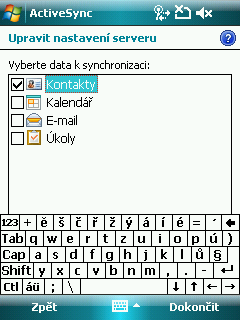
Synchronization will start automatically.
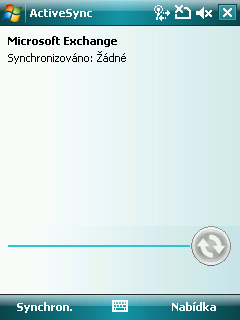
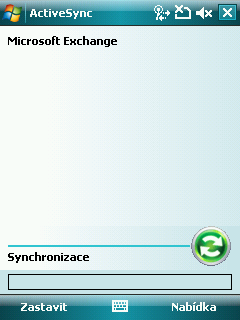
Start future synchronizations by choosing Sync.
Now you have all your contacts backed up on PhoneCopy and you can edit all your contacts in your online account. If you lose your phone or the stored data, or if you just run out of battery, you can see your contacts online.
Some additional tips:
Just as a reminder, the contacts are transferred via your mobile phone service provider, so you need to have data plan activated for the service to work. If you don't have a special data scheme, your carrier will charge you additional fees.