

How to backup contacts from BlackBerry Curve 8330

PhoneCopy.com makes it simple to back up your contacts from BlackBerry Curve 8330 to the cloud. In this guide, we will walk you through the entire process step by step.
Backup contacts from your Blackberry Curve
Instal BlackBerry Desktop Software and connect your phone with PC. Press "Organizer".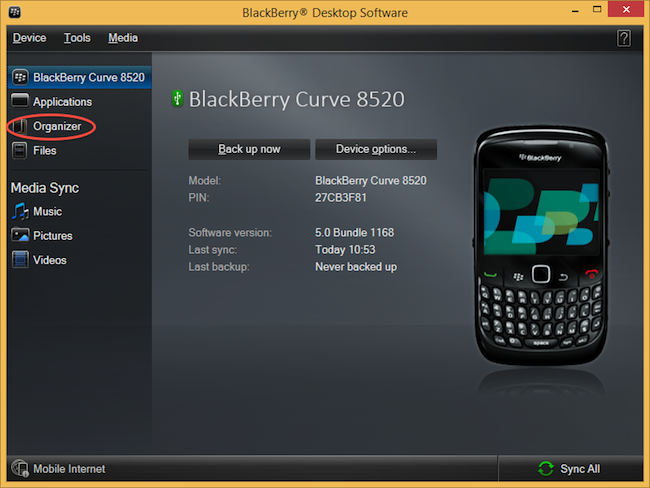
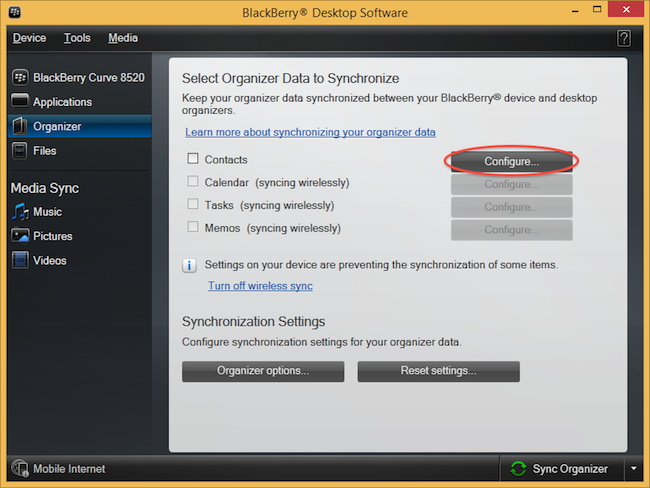
Select "Configure".
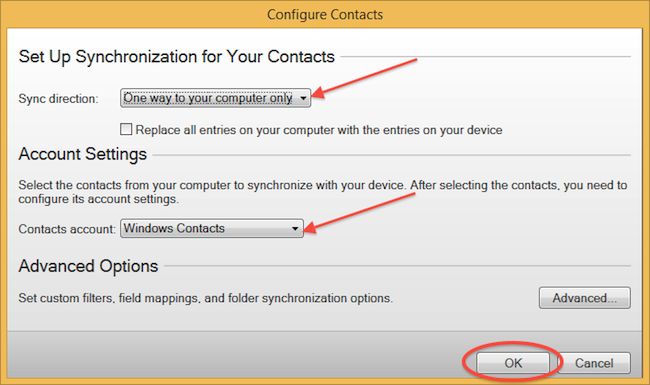
Open "Sync direction" menu and select "One way to your computer only". Open "Contacts account" menu, choose "Windows contacts" and press "OK".
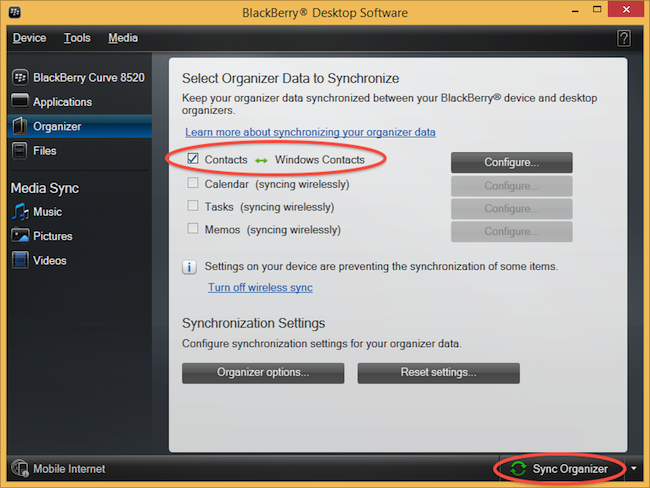
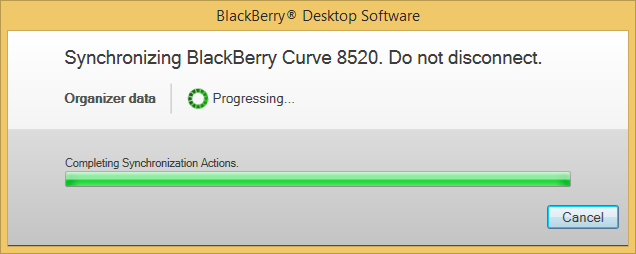
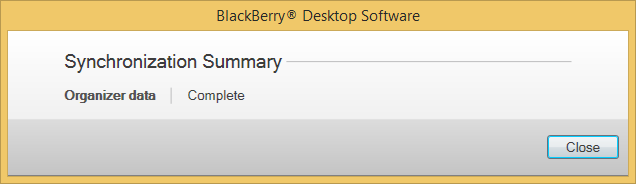
Mark "Contacts" and press "Sync Organizer".
Transfer Windows contacts to PhoneCopy using our PhoneCopy for Windows aplication.
With your contacts safely backed up, you can rest easy knowing your data is secure. Log into your PhoneCopy account at any time to view, edit, or restore your contacts.
Some additional tips:
PhoneCopy keeps a detailed sync history for your account. If you accidentally delete a contact, you can recover it from an earlier backup without losing any other data.