

How to backup contacts and calendar from Apple iPhone 5S

Losing your contacts can be frustrating. This guide shows you how to use PhoneCopy.com to keep a safe backup of all data from your Apple iPhone 5S — it only takes a few minutes.
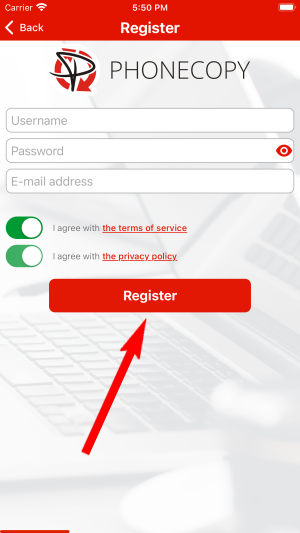
Register
Run the app and create new account.

PERMISSIONS
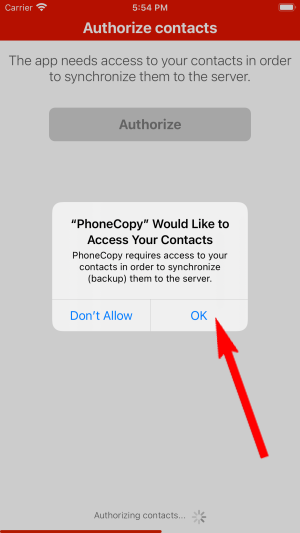
Then you need to allow PhoneCopy access to your contact list and select contacts which will be synchronized


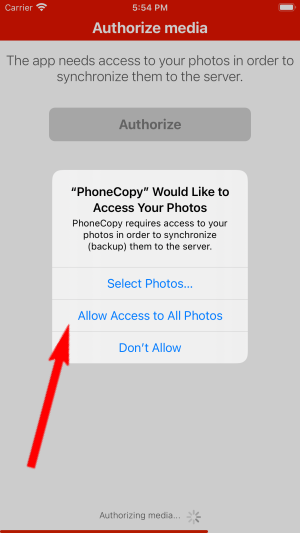
You can synchronize photos and videos too. Please note that the authorization of photos or videos is not required. If you will not grant it, PhoneCopy will only synchronize your contacts.


Let's synchronize!

Once everything is done, check your data on the web. Login to PhoneCopy webpage and you will see brief review of all data transferred from your device. With another mouse click, you can review the change of each particular item.
Some additional tips:
If the sync does not complete, make sure your phone has a stable internet connection and that background data is enabled for the PhoneCopy app. A brief pause and retry usually resolves the issue.