

How to backup contacts and calendar from Apple iPhone 13 mini

PhoneCopy.com supports hundreds of phone models, including Apple iPhone 13 mini. This guide will show you how to use it to create a safe backup of your contacts in just a few minutes.
Register
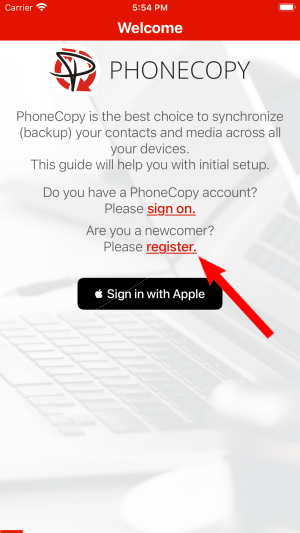
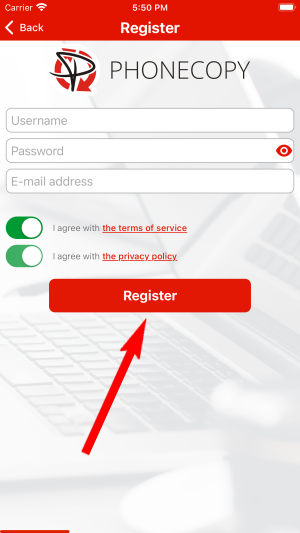
Run the app and create new account.
PERMISSIONS
Then you need to allow PhoneCopy access to your contact list and select contacts which will be synchronized

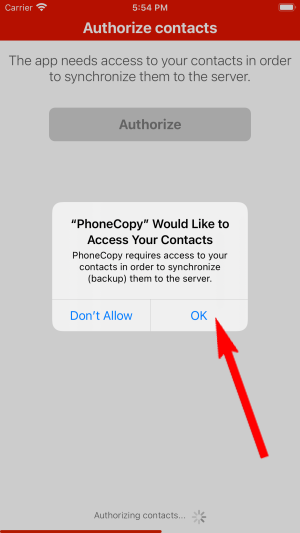
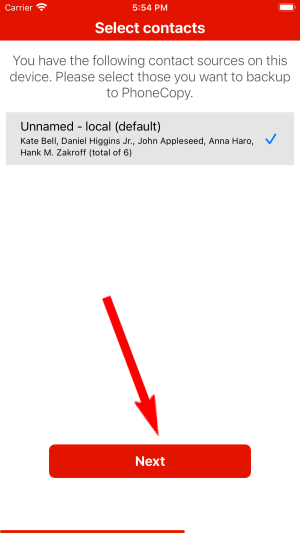
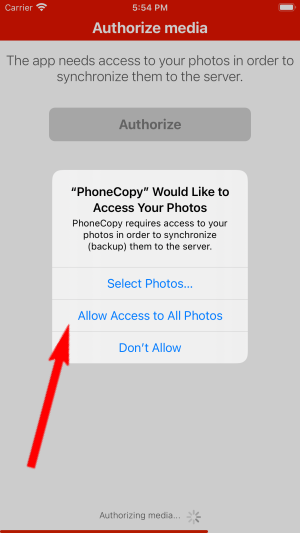
You can synchronize photos and videos too. Please note that the authorization of photos or videos is not required. If you will not grant it, PhoneCopy will only synchronize your contacts.


Let's synchronize!

Your backup is now complete. Visit the PhoneCopy website to confirm that all your contacts were transferred correctly and to explore the other features your account offers.
Some additional tips:
Just as a reminder, the contacts are transferred via your mobile phone service provider, so you need to have data plan activated for the service to work. If you don't have a special data scheme, your carrier will charge you additional fees.