

How to backup contacts and calendar from Apple iPhone 12

This step-by-step guide will help you back up your contacts from Apple iPhone 12 using PhoneCopy.com. The service works in the background and the whole process takes just a few minutes.
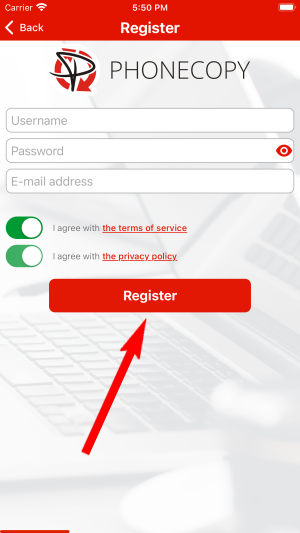
Register
Run the app and create new account.

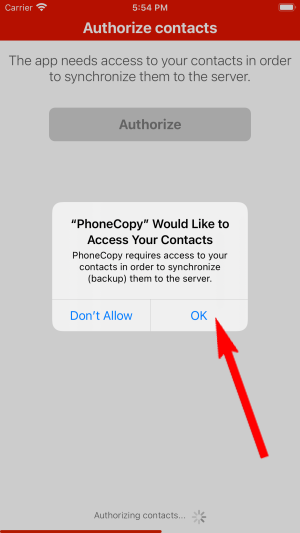
PERMISSIONS
Then you need to allow PhoneCopy access to your contact list and select contacts which will be synchronized


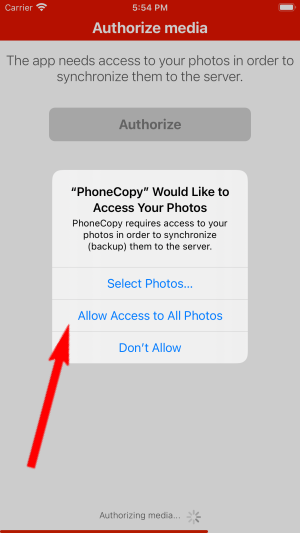
You can synchronize photos and videos too. Please note that the authorization of photos or videos is not required. If you will not grant it, PhoneCopy will only synchronize your contacts.


Let's synchronize!

Now you have all your contacts backed up on PhoneCopy and you can edit all your contacts in your online account. If you lose your phone or the stored data, or if you just run out of battery, you can see your contacts online.
Some additional tips:
If you ever get a new phone, you can restore all your contacts in minutes using PhoneCopy. The service supports a wide range of manufacturers, so switching between brands is no problem.