

How to backup contacts and calendar from Apple iPhone 11
Whether you are switching phones or just want a safe copy of your data, PhoneCopy.com is a great solution. This guide covers how to back up contacts from your Apple iPhone 11 quickly and easily.
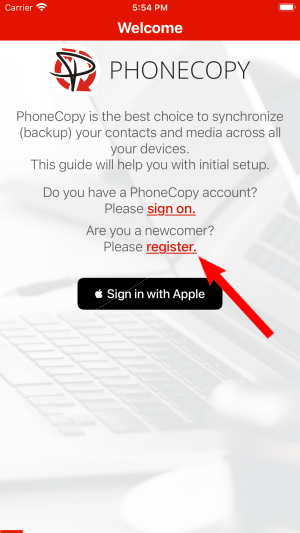
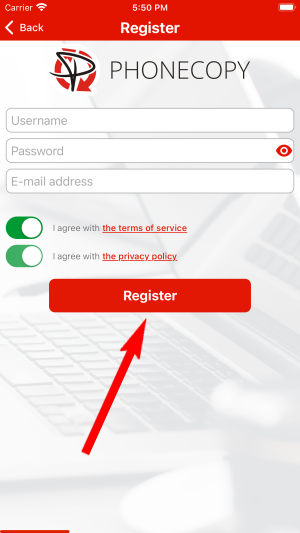
Register
Run the app and create new account.
PERMISSIONS
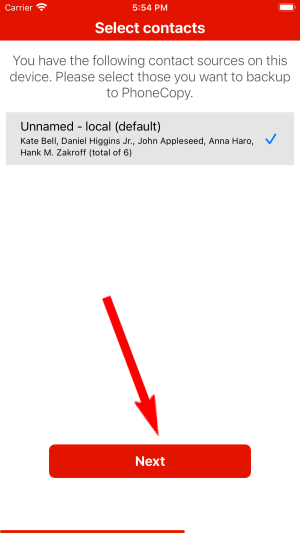
Then you need to allow PhoneCopy access to your contact list and select contacts which will be synchronized

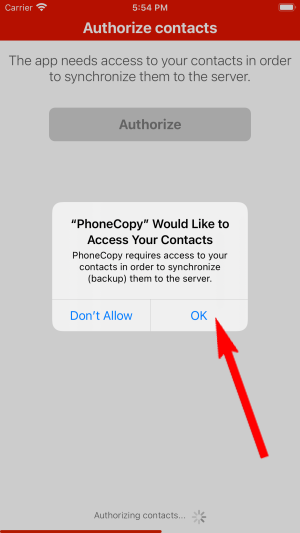
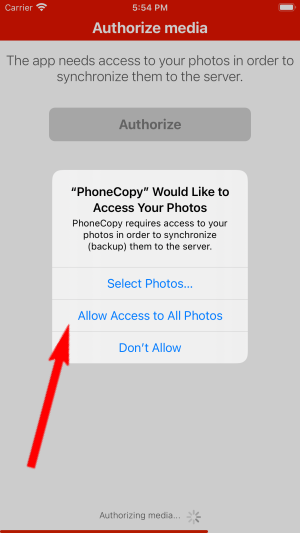
You can synchronize photos and videos too. Please note that the authorization of photos or videos is not required. If you will not grant it, PhoneCopy will only synchronize your contacts.


Let's synchronize!
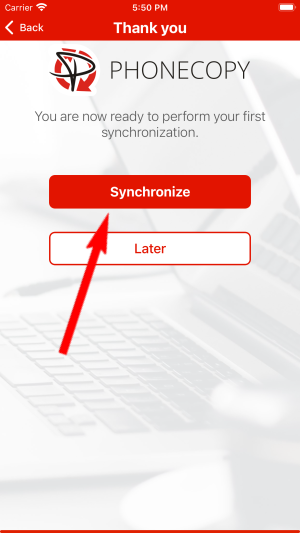
Well done — your contacts are now securely backed up in the cloud. Open your PhoneCopy account in any browser to review your data or make changes at any time.
Some additional tips:
The free PhoneCopy plan allows you to store up to 500 contacts, which is more than enough for most users. A premium plan is available if you need to sync more data or use advanced features.